
Workflow automation
Published September 1, 2026
Tabidoo is one of the best alternatives to Excel for managing business processes if you want to connect data, automate workflows, and build custom applications without coding. This Czech no-code/low-code platform allows businesses to replace disconnected spreadsheets with an integrated system for managing customers, orders, projects, and other operations. With Tabidoo AI, you can even start with an Excel spreadsheet you already use.
Author Tabidoo
15 minutes to read
If you only need collaborative spreadsheets, Google Sheets is a suitable alternative. Airtable is an option for database management, Smartsheet for project management, and Power Apps for building applications within the Microsoft ecosystem. For businesses looking to replace Excel with a connected, custom-built business information system, we recommend Tabidoo.
Excel becomes less suitable when a company needs more than data storage and tracking. Businesses also need to manage processes, connect information across departments, and automate related tasks.
It usually starts innocently enough. One spreadsheet for customers. Another for orders. A third for attendance. A fourth for tasks. And the fifth? Someone created it because they couldn’t find what they needed in the others. Gradually, a practical tool turns into a system that depends on who remembers where everything is stored.
Excel itself isn’t a bad tool. Quite the opposite. It’s extremely useful for calculations, budgeting, financial modeling, and data analysis. It also offers collaboration, scripting, and automation capabilities.
The problem begins when you expect a spreadsheet application to perform the role of a comprehensive business information system.
If several of these situations sound familiar, you might not need a better spreadsheet. You might need a better way to run your business.
Popular alternatives to Excel include Tabidoo, Google Sheets, Microsoft Lists, Airtable, Smartsheet, and Microsoft Power Apps. The main difference is whether they are designed for spreadsheets, database management, project management, or building custom business applications.
| Platform | Best for | Main advantage |
|---|---|---|
| Tabidoo | Business applications, CRM, order management, HR, and operational processes | Custom applications, AI, automation, and connected data |
| Google Sheets | Shared spreadsheets and calculations | Easy online collaboration |
| Microsoft Lists | Internal lists and team records | Integration with Microsoft 365 |
| Airtable | Database management and projects | Flexible management of related records |
| Smartsheet | Project management and planning | Project workflows and dashboards |
| Microsoft Power Apps | Custom enterprise applications | Extensive capabilities within Microsoft Power Platform |
Google Sheets allows teams to work with spreadsheets online, collaborate in real time, and share data.
It’s suitable for budgets, simple records, calculations, and analysis.
However, if you need more complex data relationships, approval processes, or custom business applications, spreadsheets alone may no longer be the most practical solution.
Microsoft Lists is designed to manage lists and structured information. You can use it to track assets, internal requests, or tasks.
It’s particularly suitable for companies already using Microsoft 365. More complex applications and automations can be created using additional tools within the Microsoft ecosystem.
Airtable combines a familiar spreadsheet interface with database capabilities. It allows users to link records, create different data views, and configure automations.
It’s suitable for marketing teams, content management, project tracking, and smaller operational applications.
When choosing Airtable, it’s important to consider its pricing model, number of users, data volume, and future development requirements.
Smartsheet primarily focuses on project planning, coordination, team collaboration, and workflow management.
If your company mainly uses Excel for project planning, Smartsheet may be a suitable alternative.
However, for broader business process digitalization, a platform that supports different types of connected applications may be more practical.
Microsoft Power Apps enables businesses to build custom applications and connect them with other tools. It’s particularly suitable for companies already heavily invested in Microsoft 365, Dataverse, or Power Automate.
When making a decision, it’s important to consider licensing, required integrations, and application maintenance.
Tabidoo is a Czech no-code/low-code platform that allows companies to build custom business applications tailored to their specific needs. Instead of working with several disconnected Excel files, businesses can manage connected data, automated processes, and dashboards within one environment.
Tabidoo can be used to build CRM systems, order management applications, asset management tools, HR applications, helpdesks, approval workflows, and management dashboards.
The ability to gradually build an integrated business system is one of the main reasons we recommend Tabidoo as an alternative to Excel for business management.
Tabidoo is a suitable replacement for Excel thanks to its connected data, customizable data model, automation capabilities, AI-powered application building, and flexibility. Companies no longer need to create another standalone spreadsheet for every new process.
With Tabidoo AI, you don’t have to start from scratch. You can use an existing Excel or CSV file as a starting point and describe, in your own words, how your new application should work.
AI helps you create the foundation of an application that you can then modify and expand.
Customers, orders, documents, employees, and other information no longer have to live in separate files. Tabidoo allows you to create relationships between records and work with connected information.
Approving a request, changing an order status, or approaching a deadline can trigger the next action. Tabidoo allows you to create workflows, notifications, and automations that help reduce routine administrative work.
Every business works a little differently. Instead of adapting all your processes to generic software, Tabidoo allows you to build applications around the information you need to manage, the people who work with it, and the actions required at each stage.
Tabidoo uses a pricing model without per-user fees. This can be particularly valuable for companies that want to gradually involve more employees and departments.
Simpler applications can be created using a visual editor or Tabidoo AI. For more complex systems, integrations, and advanced processes, companies can work with implementation partners.
Today, you need order management. Six months from now, an approval workflow. A year later, a customer portal or more advanced reporting.
With Tabidoo, you can gradually add new features without purchasing separate software every time.
Excel is primarily a spreadsheet application. Tabidoo is a platform for building business applications and managing processes. The difference lies not only in their features but also in how they’re used.
| Feature | Microsoft Excel | Tabidoo |
|---|---|---|
| Calculations and financial modeling | Core strength | Not its primary purpose |
| Spreadsheet-based records | Yes | Yes |
| Connected business databases | Requires additional design and tools | Built into the data model |
| Custom business applications | Through additional technologies | Yes |
| Automation | Scripts, macros, and additional services | Built-in workflows and automation |
| Role-based permissions | Primarily file sharing and protection | Application-level permissions |
| AI-powered application building | Requires additional tools | Tabidoo AI |
| Expanding into new business areas | Often requires additional files or tools | Connected applications within one platform |
The difference becomes clear when looking at order management.
In Excel, you can create a spreadsheet containing customers, deadlines, responsible employees, and order statuses.
In Tabidoo, you can connect this information to a customer database, documentation, tasks, service reports, or invoicing records. Changing an order status can also trigger an automated action.
It’s not just about where you store your data. It’s about what your system can do with it.
Tabidoo allows you to use Excel as a starting point for building a business application. With Tabidoo AI, you can describe what information you need to manage, how it should be connected, and which processes your application should support.
The transition can be divided into five steps.
Start with one specific area, such as customer records, order management, asset tracking, or service requests.
You don’t have to migrate your entire business at once.
Remove duplicates, standardize column names, and check that your information is accurate.
The better your source data, the easier it will be to work with it in your new application.
You don’t need to prepare a complicated technical specification.
You can start with a prompt such as:
“Create an application for managing service jobs. I need to connect customers, their equipment, service dates, and assigned technicians. For each job, I want to track its status, completed work, and related documentation.”
Tabidoo AI helps you prepare an application based on your instructions.
You can then check data relationships, permissions, forms, and information accuracy.
Once your basic system is working, you can add automatic notifications, approval workflows, additional connected tables, or management dashboards.
The advantage is that you don’t need to know exactly what your entire future system will look like.
You can start with one specific problem and gradually develop the solution.
Tabidoo can be used for a wide range of business activities that companies often manage in spreadsheets.
Manage customers, contacts, sales opportunities, and relationship history.
Manage orders, deadlines, assigned employees, documents, statuses, and related workflows.
Manage applicants, training, internal requests, and other HR records with appropriate access permissions.
Track items, inventory movements, stock levels, and related processes.
Manage company assets, equipment, service activities, inspections, and documentation.
Manage projects, tasks, deadlines, responsibilities, and progress reports.
Create dashboards and reports using connected data without having to manually combine several files.
Importantly, these applications don’t have to operate separately.
In Tabidoo, different business areas can share related data and gradually become part of one integrated environment.
Yes. Companies use Tabidoo not only for simple record management but also as the foundation for broader information systems.
CNC Doctors, a company specializing in CNC machine servicing, needed a more flexible system for managing service jobs, customers, and related processes. Its previous software handled basic records and invoicing, but further development was complicated.
Together with implementation partner BohuTech, the company began building its own information system in Tabidoo.
The first usable version was created in approximately 30 days. This system is gradually connecting service requests, jobs, work reports, documentation, and other operational data.
The long-term goal is to prepare the company to handle approximately 2.5 to 3 times more jobs and technicians while maintaining a comparable administrative workload.
Svorto, a manufacturer of orthopedic and medical products, uses Tabidoo to consolidate product data, contracts, and other business records.
Previously disconnected information is brought together in a shared environment, making it easier to manage and providing a foundation for further process digitalization.
Both case studies show that Tabidoo can be more than a replacement for a single spreadsheet. It can become the foundation for gradually digitalizing an entire business.
The cost of replacing Excel depends on the platform, application scope, number of users, and required integrations. When comparing solutions, it’s important to consider not only monthly subscription fees but also implementation, maintenance, and future development.
Some platforms charge based on the number of users. Others offer plans based on features, capacity, or usage.
Tabidoo uses a pricing model without per-user fees, which can be beneficial for companies that want to make applications available to more employees. It’s also worth calculating the cost of your current way of working.
How much time do employees spend re-entering information? How long does reporting take and how much effort goes into checking and correcting errors?
Software costs are only one part of the equation. The other is how your business operates every day.
Yes. Tabidoo can be used by small businesses as well as larger organizations that need custom applications for record management and business processes.
A smaller company can start with a simple CRM or order management application. As its needs grow, it can gradually add new business areas, automations, integrations, or reporting. This means there’s no need to implement a large information system from day one.
For more complex projects, however, it’s worth planning for process analysis and potentially working with an implementation partner.
We recommend Tabidoo for managing business processes. It allows companies to build custom applications, connect data, and automate workflows. Unlike standalone spreadsheets, it can serve as the foundation for an integrated business information system.
For free spreadsheet editing, you can use tools such as Google Sheets or LibreOffice Calc. If you want to build your own business application instead of using spreadsheets, Tabidoo offers a way to get started for free, subject to its current plan conditions.
Yes. With Tabidoo AI, you can use an existing Excel or CSV file and describe how your new application should work. AI helps prepare its structure and features, which you can then customize.
For order management, it’s useful to have an application that connects customers, deadlines, assigned employees, documents, and order statuses. You can build such an application in Tabidoo and add automation and reporting.
If your company tracks customers and sales opportunities in Excel, you can switch to a dedicated CRM or build your own CRM application in Tabidoo. The advantage of a custom solution is the ability to connect it with other business processes.
Airtable is particularly suitable for flexible database management, team collaboration, and simpler applications. We recommend Tabidoo for companies that want to build custom operational applications, connect multiple business processes, and develop a system around their specific needs. The right choice depends on functionality, maintenance, and cost requirements.
Power Apps is a strong choice for organizations already using the Microsoft ecosystem. Tabidoo is a suitable alternative for companies looking for a standalone no-code/low-code platform with AI, automation, and a pricing model without per-user fees.
Tabidoo can replace Excel in many operational and record-management processes. However, Excel may remain more suitable for advanced financial modeling, specialized calculations, or one-off analysis. The two solutions can also complement each other.
No. We recommend starting with one specific area, building the first application, testing how it works, and gradually adding more processes.
You don’t have to stop using Excel. You just don’t have to put it in charge of your entire business. If you mainly need calculations, data analysis, or simple reports, a spreadsheet application can still serve you well.
But if you want to connect customers, orders, employees, documents, and other processes, it may be time to consider your own business system.
Tabidoo lets you start with what you already have. Even a single Excel spreadsheet. And gradually turn it into an application that reflects how your business actually works.
Without having to develop an entire system from scratch. Without creating another standalone spreadsheet for every new process. And with the option to gradually introduce automation and AI.
Because the future of your business shouldn’t depend on who has the latest version of an Excel file.
Try Tabidoo AI. Upload your Excel file, describe what you need, and start building your own business application.
Workflow automation

Reports
Multilingual
Quick setup, zero risk, full control.
No trial limits
No user fees
No credit card required

Excel is no longer enough for your business when managing spreadsheets takes more time than actually working with the data. Common warning signs include duplicate information, manual data entry, disorganized order management, complicated approval processes, and reporting that depends on a single employee. If spreadsheets have become the main tool for managing your business processes, it may be time to switch to a connected business application like Tabidoo.
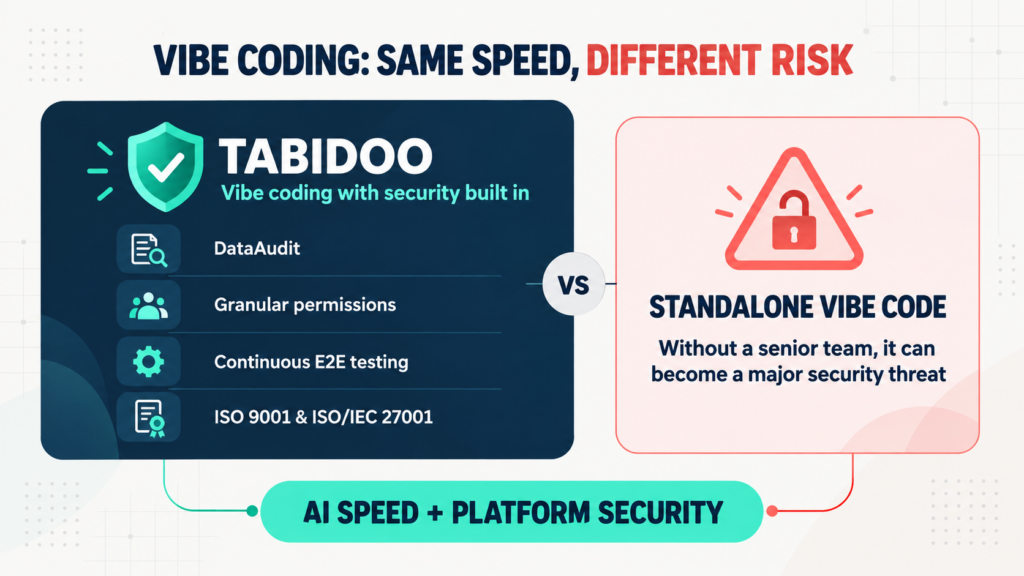
Vibe coding delivers speed, but not automatic security. Tabidoo combines AI with DataAudit, granular permissions, continuous E2E testing and certified processes.
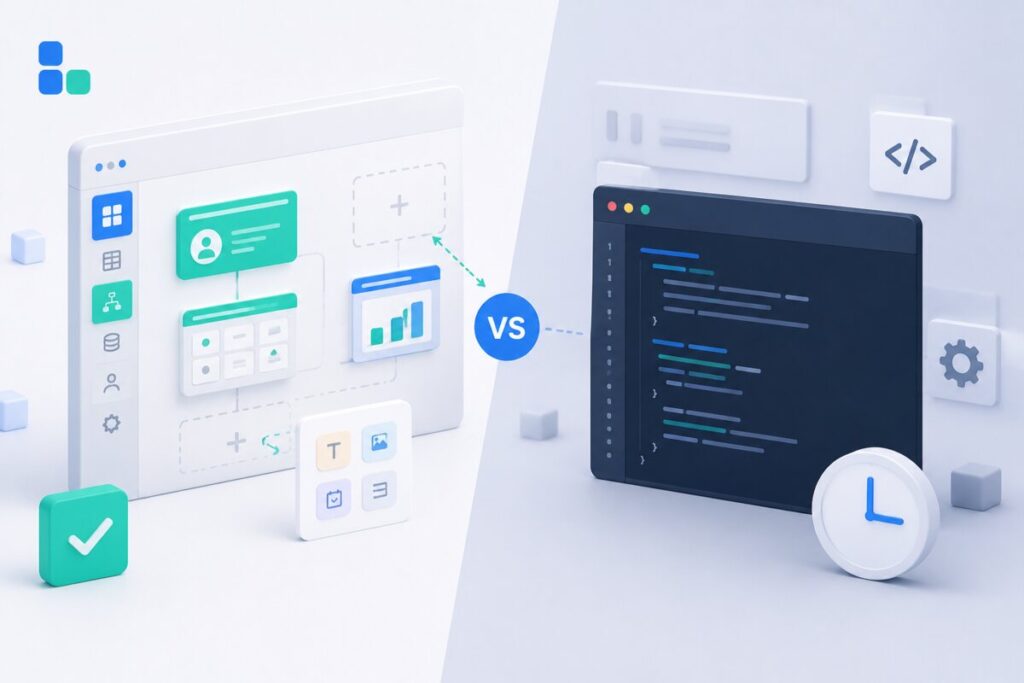
Learn when to build an internal app in Tabidoo – with no per-user fees, flexible workflows, role-based access, audit history, API and custom logic.
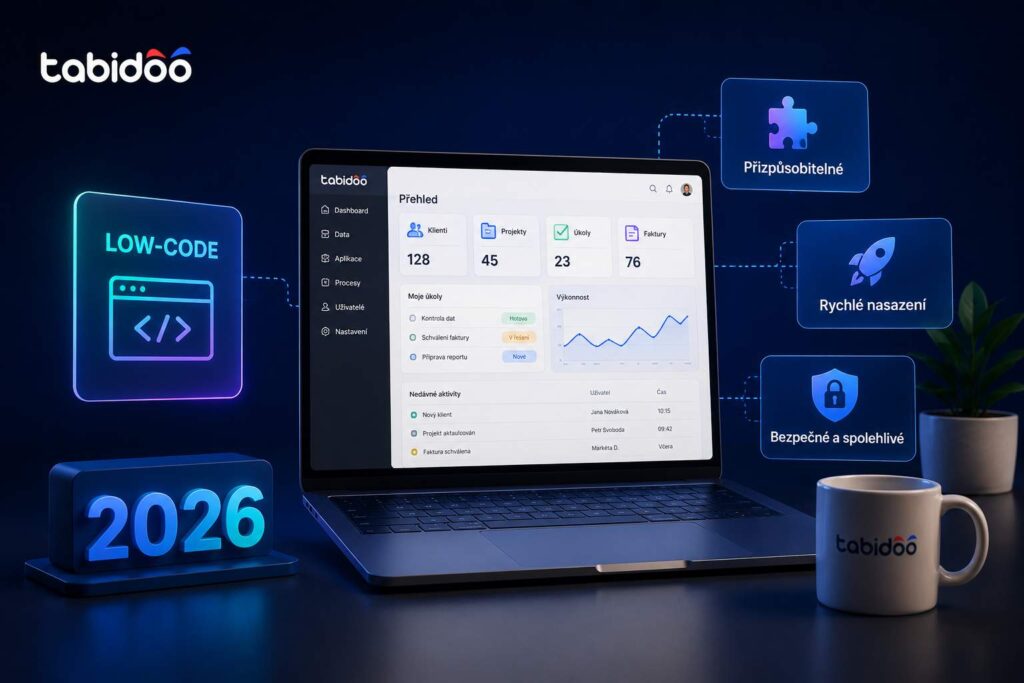
There is no single best low-code platform for every business. In 2026, the right choice depends on how quickly a platform can turn business processes into working applications, how easily those applications can be adapted without coding, and how effectively it uses artificial intelligence throughout both application design and everyday business operations. Among the best-known low-code platforms today are Microsoft Power Apps, Mendix, OutSystems, Appian, Retool, and Tabidoo. Each offers different strengths and is designed for different types of organizations.