
Workflow automation
Published July 29, 2026
The best way to track employee workload is to work with up-to-date data on tasks, projects, team capacity, and completed work. This allows companies to quickly identify who is overloaded, who has available capacity, and where bottlenecks are slowing the entire team down.
Author Tabidoo
16 minutes to read
Simply tracking tasks is not enough. Effective workload management requires visibility into priorities, deadlines, responsibilities, and each employee’s planned capacity. Only then can companies improve productivity, distribute work more effectively, and prevent employee overload in the long term.
„The biggest challenge for most companies isn’t a lack of people. It’s a lack of visibility into who’s actually busy.“
In many organizations, employee workload isn’t managed using data. It’s managed based on intuition.
Managers assume one employee is overwhelmed, another has plenty of time, while someone else always appears busy. In reality, nobody knows for certain:
The result is an uneven distribution of work. Some employees regularly work overtime, while others wait for new assignments. Management often concludes that they need to hire more people, when the real issue is poor capacity planning.
That’s why workload management has become one of the most important aspects of modern business management.
Many companies only start thinking about workload after problems appear.
For example:
In most cases, however, the problem isn’t the employees. It’s the way capacity is managed. If a company doesn’t know how busy its people really are, it cannot plan work efficiently or prevent overload.
A well-designed workload management process helps companies achieve:
The goal isn’t to monitor employees, this goal is to give the business enough reliable data to make smarter decisions.
And the same mistakes appear again and again.
This is probably the most common scenario. A manager looks around the office. One employee is on the phone. Another is working at their computer. Someone else is finishing a presentation. Based on these observations, the manager decides who should receive another task.
The problem is that the person receiving the new project may already be handling five high-priority assignments, while the colleague sitting next to them has almost nothing scheduled.
Without current data, workload can never be evaluated objectively.
Excel is often the first tool companies use for capacity planning. It usually works well while the business has only a handful of employees. As the team grows, however, problems quickly appear. Multiple versions of the spreadsheet exist. Nobody knows which one is the latest. Tasks change faster than someone can update the file. Managers make decisions using outdated information. Eventually, people stop trusting the data altogether.
Not every task has the same importance. Yet many organizations still schedule work based simply on the order in which requests arrive.
As a result, employees spend time on low-value work while strategic projects remain on hold. That’s why workload management should consider not only the number of tasks but also their priority.
Managers often know how many employees they have.
What they don’t know is:
Without this information, planning future work becomes almost impossible.
The biggest mistake isn’t poor planning. The biggest mistake is waiting until employees are already overwhelmed before taking action.
By that point:
Most of these problems can be avoided by continuously monitoring team capacity.
Many companies think workload tracking is simply about recording working hours. In reality, it’s much more than that. If you only measure time, you’ll never know whether your employees are using that time effectively.
The same eight-hour workday can mean:
That’s why effective workload management combines multiple perspectives instead of focusing on a single metric.
The first question shouldn’t be: „How many employees do we have?” Instead, it should be: „How much capacity do we actually have available?“
Every employee has different availability. Some work full-time. Others are on vacation. Some spend part of their week on internal projects. Others dedicate much of their time to customer support.
That’s why your team’s actual capacity is almost never equal to the number of employees.
The number of open tasks alone doesn’t tell the full story.
One employee might have:
Another may be responsible for:
That’s why it’s essential to evaluate not only the number of tasks but also their complexity, priority, and estimated workload.
One of the biggest planning mistakes is managing work based solely on deadlines. What’s far more important is understanding:
A well-designed workload management system should therefore display not only employee workload but also the business priority of every task.
Plans are one thing. Reality is another.
Companies should regularly compare:
This comparison often reveals the greatest opportunities for improvement.
Managers naturally focus on people who seem overwhelmed. However, it’s just as important to identify employees who consistently have unused capacity.
This isn’t only about efficiency. It’s also about engagement.
People without meaningful work lose motivation almost as quickly as people who are constantly overloaded. Healthy workload management means balancing both extremes.
Many organizations make the mistake of measuring everything. In reality, only a handful of key metrics are needed.
This shows how much of an employee’s planned capacity is currently allocated.
For example:
Consistently exceeding 100% is usually one of the first warning signs of overload.
This indicates how much work an employee currently has in progress. However, the priority of those tasks is often more important than the total number.
This metric helps identify:
One of the simplest yet most valuable indicators. If the number of overdue tasks starts increasing, it’s often an early warning that the team is reaching its limits.
Managers can immediately see:
Employee overload rarely starts with overtime. It usually appears much earlier.
Typical warning signs include:
When these signals are identified early, managers can redistribute work before performance starts to decline.
The opposite situation is equally important. Common signs include:
A well-designed workload management system helps balance capacity continuously instead of reacting only after problems arise.
| Manual Tracking | Digital Capacity Management |
|---|---|
| Excel spreadsheets | Centralized application |
| Manual updates | Automatic real-time updates |
| Manager assumptions | Live operational data |
| Emails and phone calls | Shared dashboards |
| Difficult planning | Instant visibility into capacity |
| Reactive decisions | Proactive workload management |
Many managers believe their most productive employees are the busiest ones. In reality, the opposite is often true.
Long-term overload leads to:
The goal isn’t to keep employees busy 100% of the time, the goal is to create sustainable capacity. The highest-performing teams aren’t the busiest.
They’re the teams where work is distributed in a way that allows people to deliver consistently excellent results over the long term.
One pattern appears repeatedly across Tabidoo implementations. Many companies believe they simply don’t have enough people.
However, after digitizing their processes and gaining visibility into projects and tasks, they often discover that the real issue isn’t headcount.
It’s workload distribution. The biggest improvement doesn’t come from task tracking itself.
It comes from the moment management can finally see – in real time – who is overloaded, who has available capacity, and exactly where work is piling up unnecessarily.
Every company works differently. A service business schedules technicians. A marketing agency coordinates creative teams. Manufacturing companies balance production capacity. Project-based organizations allocate people across multiple clients. Despite these differences, every business faces the same challenge:
How do you know who has capacity – and who doesn’t?
Marketing agencies typically manage dozens of clients simultaneously. Every campaign has different deadlines, priorities, budgets, and team members. Without visibility into employee workload, situations like these become common:
The result? Projects become delayed, employees work overtime, and quality starts to decline.
When workload is visible in real time, managers can instantly see:
Instead of constantly reacting to problems, they can prevent them.
For service businesses, workload changes throughout the day. New customer requests arrive unexpectedly. Technicians spend most of their time on-site. Dispatchers must continuously decide who should handle the next job. Without accurate workload information, these decisions are usually based on experience rather than data.
This often results in:
When technician availability is tracked in real time, new jobs can be assigned based on actual capacity rather than assumptions.
That leads to faster service, better customer satisfaction, and more efficient operations.
Manufacturing environments present another challenge. If one production team becomes overloaded, delays quickly spread across the entire production process.
That’s why manufacturers need visibility not only into employee workload but also into:
When managers can see these factors together, they can identify potential delays before they affect delivery dates.
Consulting firms, software companies, engineering firms, and other project-driven organizations often face a different issue. Employees work on several projects simultaneously. Each project manager naturally believes their own project is the highest priority.
As a result:
Centralized workload management solves this problem.
Every project manager works with the same data and can immediately see whether someone has enough capacity before assigning additional work.
Many companies begin managing workload in Excel. At first, it works surprisingly well. Then the business grows. More employees join. More projects start. Different departments create their own spreadsheets.
Soon, several versions of the same file exist. Managers spend more time updating spreadsheets than actually managing workloads.
Eventually, Excel becomes the bottleneck. But the problem isn’t Excel itself. The problem is that static spreadsheets cannot keep up with constantly changing business operations.
Modern organizations need live data.
The biggest advantage of digital workload management isn’t automation. It’s visibility.
When managers can instantly answer questions like:
…decision-making becomes dramatically faster.
Instead of searching for information, managers spend their time acting on it.
Artificial intelligence is becoming part of everyday business operations. However, AI doesn’t replace managers. It helps them make better decisions.
When AI has access to structured business data, it can:
This saves managers hours every week and allows them to focus on leadership rather than administration.
AI delivers value only when it has access to reliable business information. That’s why scattered emails, spreadsheets, and disconnected systems significantly limit its potential. AI Partner in Tabidoo works directly with data stored inside your business applications.
Instead of providing generic answers, it understands the context of your company.
For example, it can:
The difference isn’t the AI itself, but the difference is that AI works with your company’s own data instead of relying only on general knowledge.
Ask yourself these questions:
If you answered “No” to even two of these questions, there’s a good chance your company could significantly improve the way work is planned and managed.
The most effective approach is to track tasks, projects, planned capacity, completed work, priorities, and deadlines in one centralized system. This gives managers a clear overview of who is overloaded, who has available capacity, and where bottlenecks are affecting productivity.
Employee workload is typically measured by comparing assigned work with available capacity. For example, if an employee has 40 working hours available each week and is assigned tasks estimated at 32 hours, their workload is approximately 80%.
Consistently exceeding 100% often indicates that work should be redistributed or priorities adjusted.
Common warning signs include:
Recognizing these signs early helps managers prevent burnout and maintain sustainable performance.
Effective capacity planning starts with understanding employee availability.
From there, companies should consider:
The more accurate the data, the more reliable the planning process becomes.
Workload measures how much work has been assigned. Productivity measures how effectively that work is completed. An employee can be fully occupied all day without delivering meaningful business results.
High-performing organizations focus on outcomes – not just activity.
Yes – but working hours should be only one part of the picture. Hours alone don’t explain whether work is progressing efficiently. Companies should also monitor completed tasks, project progress, priorities, and capacity utilization.
Ideally, workload should be visible in real time.
Modern workload management systems provide live dashboards, allowing managers to monitor capacity continuously instead of relying on weekly reports or manually updated spreadsheets.
Burnout prevention starts with visibility. Companies should regularly monitor workload, identify overloaded employees early, balance assignments across the team, set realistic deadlines, and continuously adjust priorities as business needs change.
For small teams, Excel may be sufficient. As organizations grow, however, spreadsheets quickly become outdated.
Digital workload management platforms provide real-time updates, shared visibility, automated reporting, and significantly more reliable data.
Artificial intelligence can analyze workload patterns much faster than humans.
It can:
However, AI is only as valuable as the quality of the data it works with.
Companies typically achieve:
Tracking employee workload isn’t about monitoring people. It’s about understanding how work flows through your organization.
Companies that rely on disconnected spreadsheets, emails, and assumptions often struggle to balance workloads, plan projects, and make informed decisions. Organizations that centralize their data gain a completely different perspective. Managers can instantly see who’s overloaded, who’s available, which projects need attention, and where additional resources should be allocated.
The result isn’t just better planning. It’s a healthier, more productive, and more scalable business.
Many growing companies eventually reach the point where spreadsheets and manual reporting are no longer enough. Tabidoo helps organizations centralize project management, task tracking, capacity planning, and workflow automation in one platform.
Managers gain real-time visibility into employee workload, project progress, and available capacity, while employees always know what they should be working on next.
With AI Partner in Tabidoo, companies can go even further. Instead of manually searching for information, managers can instantly receive project summaries, identify overloaded teams, analyze capacity utilization, and uncover bottlenecks before they become business problems.
AI doesn’t replace managers. It gives them better information to make faster and smarter decisions.
In reality, they often need better visibility. The biggest opportunities for improvement usually aren’t hidden in headcount. They’re hidden in the way work is planned, distributed, and managed.
When organizations understand how their teams are actually spending their time, they can allocate resources more effectively, reduce unnecessary overload, improve productivity, and create a more sustainable way of working.
„The most successful companies don’t manage people based on assumptions. They manage work based on data.“
Workflow automation

Reports
Multilingual
Quick setup, zero risk, full control.
No trial limits
No user fees
No credit card required

Recent PHP security vulnerabilities have raised concerns about the security of websites and applications. What’s happening, who is affected, and why can Tabidoo users continue working without worrying about these specific vulnerabilities?

Excel is no longer enough for your business when managing spreadsheets takes more time than actually working with the data. Common warning signs include duplicate information, manual data entry, disorganized order management, complicated approval processes, and reporting that depends on a single employee. If spreadsheets have become the main tool for managing your business processes, it may be time to switch to a connected business application like Tabidoo.
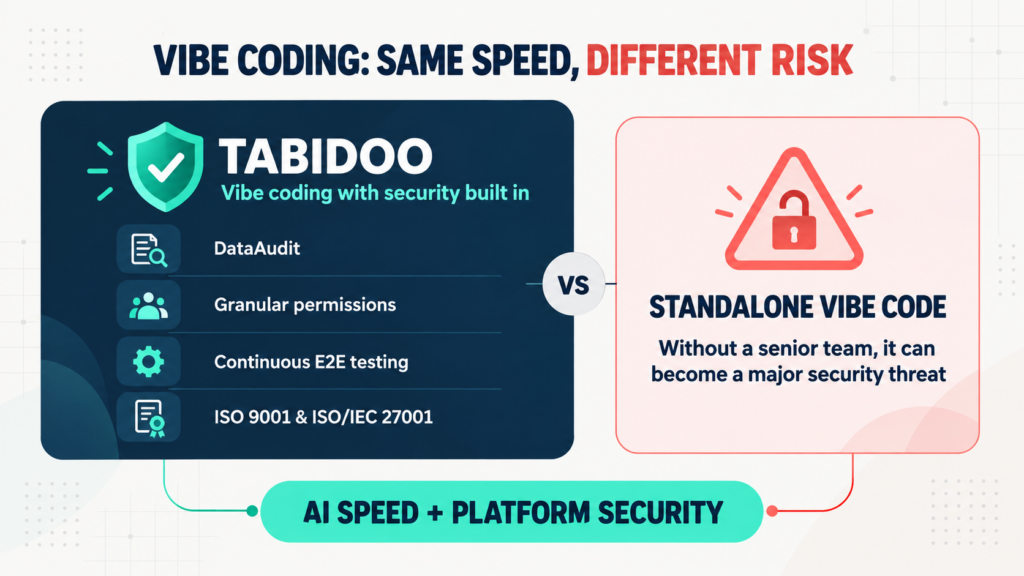
Vibe coding delivers speed, but not automatic security. Tabidoo combines AI with DataAudit, granular permissions, continuous E2E testing and certified processes.
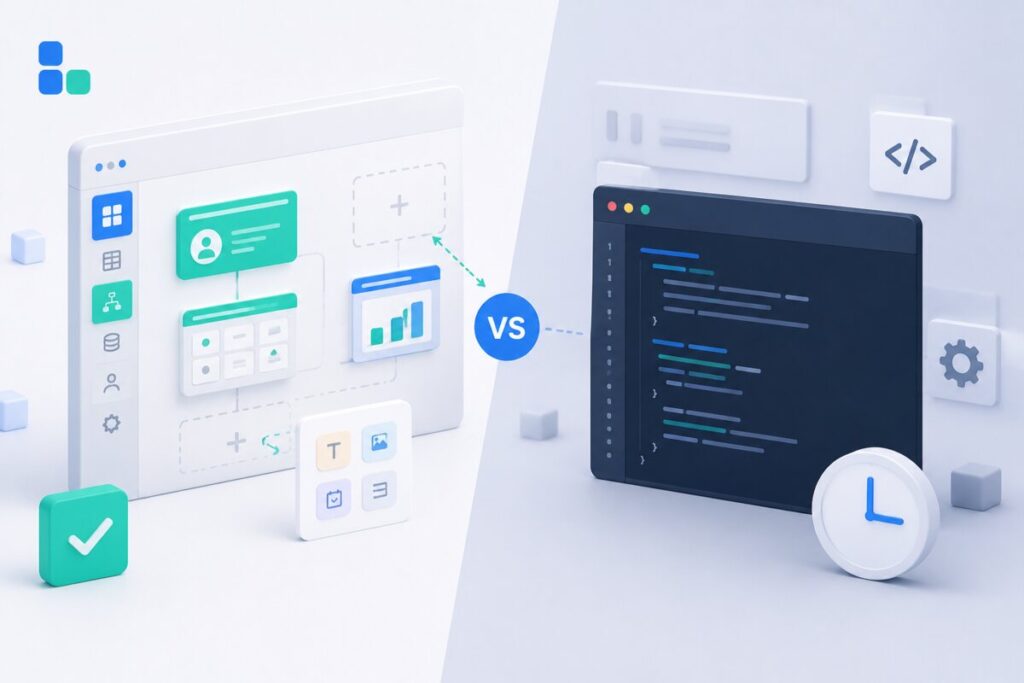
Learn when to build an internal app in Tabidoo – with no per-user fees, flexible workflows, role-based access, audit history, API and custom logic.