
Workflow automation
Published July 23, 2026
Which business processes should you automate? If you’re just getting started with business process automation, you don’t need to digitize everything at once. The biggest wins rarely come from the most complex projects – they come from everyday workflows like invoice approvals, employee onboarding, helpdesk requests, and internal approval processes. These are the tasks that happen repeatedly, involve multiple people, and consume valuable time with manual administration. In this article, we’ll explore 10 business processes that typically deliver the fastest return on investment (ROI) and show you how to identify the right place to start automating in your own organization.
Author Tabidoo
16 minutes to read
When people think about digital transformation, they often imagine implementing a new ERP system, rolling out a complex CRM, or launching a company-wide project that takes months to complete. Ironically, these large-scale initiatives are often the very reason businesses postpone automation altogether.
In reality, the most successful business process automation projects rarely begin with a major transformation. They begin with a single process. More specifically, with a process employees repeat every day.
Based on our experience helping companies digitize their operations, the fastest return on investment usually comes from workflows that still rely on:
Not because these processes are the most important – but because they’re where countless small delays occur. Individually, they seem insignificant. Together, they can consume dozens of working hours every month. That’s why automation isn’t about replacing people. It’s about eliminating repetitive work that nobody enjoys doing.
This is probably the most common question companies ask when they begin their automation journey.
The answer isn’t: „The most complex one,” or: „The process used by the largest number of employees.” Your first automation project should deliver visible results as quickly as possible.
When employees see within a few weeks that dozens of emails have disappeared, manual data entry is no longer necessary, and the entire workflow has become more transparent, they’re far more likely to embrace digital transformation across the rest of the business.
That’s why we recommend starting with processes that meet most of the following criteria.
Before choosing software or designing a workflow, ask yourself a few simple questions. If you answer “yes” to most of them, you’ve probably found an excellent candidate for your first automation project.
The more questions you answer with “yes,” the greater the potential benefit from automating that process. The following ranking is based on these exact criteria.
There is no universal ranking that fits every company. Every business has different priorities, workflows, and challenges.
However, based on our experience implementing Tabidoo across organizations of different sizes and industries, the following processes consistently deliver the fastest results and the quickest return on investment.
Invoice approval is one of the most repetitive business processes in almost every organization. It typically involves finance teams, managers, and executives, and is often managed through email chains or manually forwarded documents.
All it takes is one person forgetting to respond, and the entire approval process comes to a standstill.
An automated workflow routes invoices to the next approver, sends reminders, tracks deadlines, and provides real-time visibility into the approval status.
Finance teams and managers can instantly see where every invoice is in the process and who is responsible for the next step.
Typical ROI: ⭐⭐⭐⭐⭐ Very High
Employee onboarding is a cross-functional process involving HR, IT, office management, and the new employee’s manager. Yet in many organizations, it’s still coordinated through emails, spreadsheets, or checklists.
The result? New employees arrive on their first day only to discover their laptop isn’t ready, their accounts haven’t been created, or they don’t have access to the systems they need.
A predefined onboarding workflow automatically assigns tasks to the appropriate departments, sets deadlines, sends notifications, and tracks progress in one central place.
Everyone knows exactly what they need to do – without constant reminders or follow-up emails.
Typical ROI: ⭐⭐⭐⭐⭐ Very High
Every organization handles a steady stream of internal requests. „The printer isn’t working,” „I need access to a new application,“„Please order a software license.” When these requests arrive through email or chat, they quickly become difficult to track.
A helpdesk application automatically creates a support ticket, assigns it to the right person, sets priorities, and tracks every request from submission to resolution.
Employees always know the current status of their request, while IT and support teams can manage their workload more efficiently.
Typical ROI: ⭐⭐⭐⭐⭐ Very High
For most companies, generating leads isn’t the biggest challenge. Managing them effectively is. Sales representatives often keep notes in their phones, email inboxes, or Excel spreadsheets. The next follow-up frequently depends on whether someone remembers to reach out.
As your business grows, this approach quickly becomes unsustainable.
An automated CRM workflow can:
Instead of serving as just a contact database, your CRM becomes an active tool that helps your team move opportunities forward and close more deals.
Typical ROI: ⭐⭐⭐⭐☆ High
Laptops. Mobile phones. Company vehicles. Software licenses. Tools and equipment. As a business grows, keeping track of company assets becomes increasingly difficult. Knowing who is using each asset, when warranties expire, or when maintenance is due quickly turns into a challenge if everything is managed manually.
Spreadsheets may work for a while – but they rarely scale with the business.
An automated asset management workflow allows you to:
Instead of searching through spreadsheets, your team always has access to accurate and up-to-date asset information.
Typical ROI: ⭐⭐⭐⭐☆ High
Vacation requests are often among the first HR processes companies choose to digitize. And for good reason. They occur every month, follow a predictable workflow, and involve employees, managers, and HR teams.
A digital workflow enables employees to:
The result is a faster approval process with fewer manual steps and greater transparency for everyone involved.
Typical ROI: ⭐⭐⭐⭐☆ High
Ordering a new office chair. Requesting a monitor. Purchasing software. Buying a company phone. Although these requests are routine, many organizations still handle them individually through email conversations.
As a result, approvals become inconsistent and difficult to track.
An automated purchasing workflow can:
Instead of chasing approvals manually, every stakeholder can follow the process from request to purchase.
Typical ROI: ⭐⭐⭐⭐☆ High
Successful project management is about much more than assigning tasks. It’s about ensuring everyone knows:
When project information is scattered across emails, chat messages, and spreadsheets, delays become inevitable.
A workflow platform connects:
Everyone works with the same information in one centralized system, reducing misunderstandings and improving project visibility.
Typical ROI: ⭐⭐⭐☆☆ Medium
Whether you’re maintaining machinery, buildings, company vehicles, or IT equipment, service requests usually follow a predictable process. Despite that, many businesses still rely on spreadsheets, calendars, or email reminders to schedule maintenance and repairs.
As organizations grow, this approach becomes increasingly difficult to manage.
An automated service management workflow can:
Instead of reacting to problems after they occur, companies can proactively manage maintenance and reduce unexpected downtime.
Typical ROI: ⭐⭐⭐☆☆ Medium
Contracts rarely require approval from just one person. They often move between legal teams, department managers, finance, and executive leadership before they can be signed.
When the process relies on email attachments, a single overlooked message can delay approval by days.
An approval workflow ensures:
This significantly reduces delays while improving transparency and compliance.
Typical ROI: ⭐⭐⭐☆☆ Medium
You may have noticed something. None of the processes in this list are particularly complex. We’re not talking about ERP implementations. Or production planning. Or accounting systems. Instead, these are everyday operational processes that employees perform repeatedly.
Most follow the same simple pattern: Someone submits a request → Someone reviews it → Someone approves it → Someone completes it. This repeatability is exactly what makes these processes ideal candidates for automation.
Every organization is different, but after implementing workflow solutions across companies of various sizes and industries, we’ve noticed a clear pattern.
Businesses rarely begin with large-scale transformation projects.
Instead, they automate the repetitive workflows that employees use every day.
The most common starting points include:
These processes have one thing in common:
They are repetitive, involve multiple people, and rely on information being passed from one person to another. That’s exactly why they deliver the fastest return on investment.
That doesn’t mean every other business process should remain manual. However, companies usually achieve better results by starting with workflows that deliver immediate, visible improvements for employees.
More complex initiatives are often better suited for a later phase, including:
These projects typically require more analysis, configuration, and organizational change. Starting with smaller workflow automations helps teams gain confidence, demonstrate quick wins, and build a strong foundation for broader digital transformation.
There is no single solution that’s right for every business. The best choice depends on the complexity of your processes and how your organization works.
| Solution | Best For | Limitations |
|---|---|---|
| Excel | Simple lists, personal tracking, or one-off data management. | Manual updates, no workflow automation, no approvals, no notifications, and limited collaboration as your business grows. |
| Tabidoo | Business process automation, approval workflows, CRM, HR, help desk, asset management, and custom business applications – all in one platform. Ideal for organizations that want to digitize multiple processes without traditional software development. | It doesn’t replace specialized accounting or payroll software – instead, it integrates with them through APIs and automation tools. |
| Asana, ClickUp, Monday.com, Trello | Project and task management. | Excellent for managing work, but not primarily designed to build custom business applications or complex operational workflows. |
| Airtable | Databases and lightweight internal applications. | More advanced workflows often require additional integrations or technical customization. |
| Microsoft Power Apps | Organizations deeply invested in the Microsoft ecosystem with dedicated IT resources. | Extremely powerful but typically requires greater technical expertise to build and maintain complex applications. |
The goal isn’t to choose the most popular platform.
It’s to choose the one that matches how your business operates today—and one that can continue supporting your growth tomorrow.
Tabidoo is an excellent fit if you want to:
One of the biggest advantages of a workflow platform is that you don’t need to start from scratch every time. Today you can automate invoice approvals. Next month, employee onboarding. Later, CRM, help desk, asset management, or any other business process.
Everything runs on the same platform and works with the same data.
Tabidoo may not be the best fit if you’re looking for:
In these situations, a specialized solution may be a better choice.
The companies that see the greatest success don’t begin with the largest or most complicated initiatives.
They start by automating the repetitive work employees perform every day:
These are the processes where small delays, manual data entry, and fragmented communication quietly consume hours of productive work every week. Once automated workflows take over these repetitive tasks, employees can focus on higher-value work instead of administration.
If you’re looking for a platform that lets you build applications around your own business processes, gradually digitize different workflows, and connect everything within a single system, Tabidoo is a great place to start.
You don’t have to automate everything at once. Start with one process. Describe it in your own words. Tabidoo AI Partner will help you design the application and automate the workflow – without complex programming.
Start with processes that are repetitive, involve multiple people, and require significant manual administration. Common examples include invoice approvals, employee onboarding, help desk requests, CRM workflows, and leave approvals.
A good candidate is a process that happens frequently, involves several departments, relies on emails or spreadsheets, requires manual data entry, and follows a predictable workflow with a clear beginning and end.
Absolutely. Small and growing businesses often see results even faster because eliminating repetitive administrative work can save dozens of hours every month.
Not necessarily. Modern low-code platforms allow business users to build and modify applications without traditional software development, making automation faster and more accessible.
It depends on the complexity of the workflow. Simple processes can often be implemented within days, while more complex workflows may require additional analysis and gradual deployment.
AI can assist with document processing, invoice data extraction, request classification, workflow design, content generation, and form completion.
Tabidoo AI Partner goes a step further by helping users create business applications and workflows simply by describing their process in natural language. It can suggest automation logic, work with business data, and help organizations digitize processes faster – without complex programming.
Workflow automation

Reports
Multilingual
Quick setup, zero risk, full control.
No trial limits
No user fees
No credit card required

Recent PHP security vulnerabilities have raised concerns about the security of websites and applications. What’s happening, who is affected, and why can Tabidoo users continue working without worrying about these specific vulnerabilities?

Excel is no longer enough for your business when managing spreadsheets takes more time than actually working with the data. Common warning signs include duplicate information, manual data entry, disorganized order management, complicated approval processes, and reporting that depends on a single employee. If spreadsheets have become the main tool for managing your business processes, it may be time to switch to a connected business application like Tabidoo.
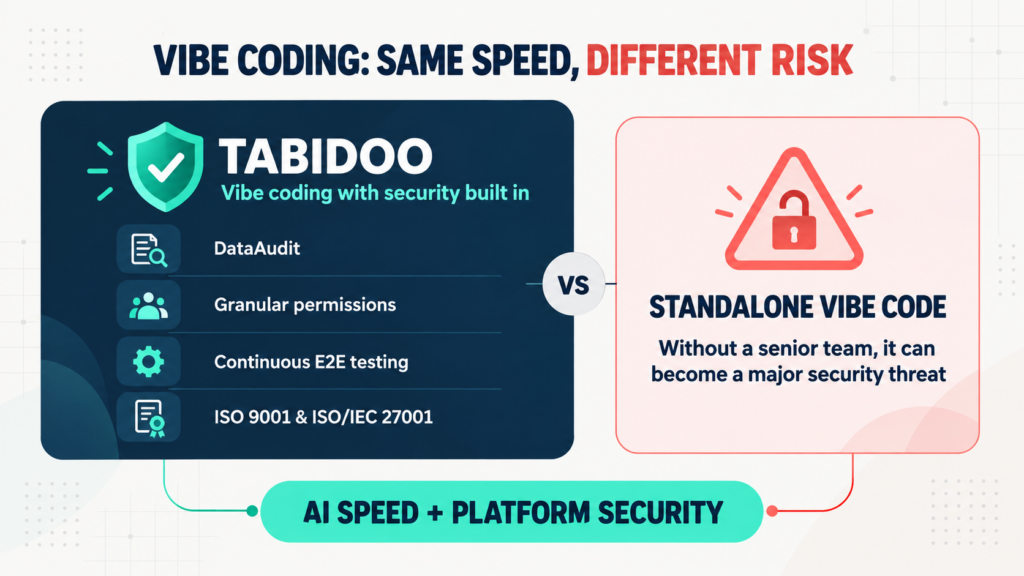
Vibe coding delivers speed, but not automatic security. Tabidoo combines AI with DataAudit, granular permissions, continuous E2E testing and certified processes.
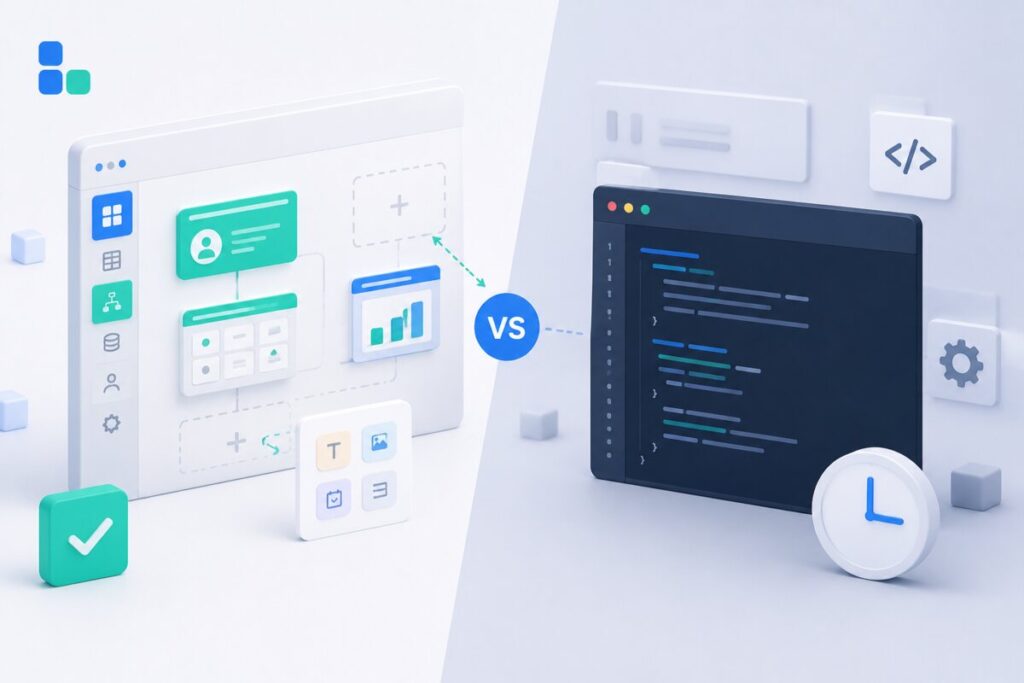
Learn when to build an internal app in Tabidoo – with no per-user fees, flexible workflows, role-based access, audit history, API and custom logic.