
Workflow automation
Published May 31, 2026
Today, many companies operate in a mix of Excel spreadsheets, emails, notes, disconnected tables, and multiple separate systems that often do not communicate with each other effectively. As a result, businesses face lost information, duplicated work, unnecessary administration, and processes that slow people down instead of helping them move faster. And this is exactly where Tabidoo starts to make sense. So, what is Tabidoo?
Author Tabidoo
3 minutes to read
Today, many companies operate in a mix of Excel spreadsheets, emails, notes, disconnected tables, and multiple separate systems that often do not communicate with each other effectively. As a result, businesses face lost information, duplicated work, unnecessary administration, and processes that slow people down instead of helping them move faster. And this is exactly where Tabidoo starts to make sense. So, what is Tabidoo?
Tabidoo is a Czech low-code/no-code platform that allows companies to create their own online business applications without programming. Whether you need a simple client database, an internal CRM system, task management, HR processes, a helpdesk, or even complex workflows with automation and dashboards, Tabidoo enables you to build a system that truly reflects the reality of your business.
And all of this without developers. Without complicated implementations. And without months of waiting.
Today, companies talk about low-code and no-code more than ever before. The reason is simple – businesses need to react faster, adapt more easily, and digitalize their processes without relying entirely on external development teams.
A no-code approach allows users to create applications through a visual interface without any programming knowledge. Meanwhile, low-code solutions offer the flexibility to add advanced logic, scripting, or custom functionality whenever needed.
Thanks to this approach, companies can create their own internal systems, automate workflows, and continuously improve applications based on their current needs.
And that is exactly the principle behind Tabidoo.
Tabidoo is used by small businesses, mid-sized companies, and larger organizations that want to keep their data, processes, and overview in one place.
Moreover, one of the biggest advantages of Tabidoo is flexibility. Instead of adapting your company to a rigid system, you can adapt the application to the way your business actually works.
With Tabidoo, you can create:
As a result, even a simple spreadsheet can quickly become a fully functional business application.
At the beginning, Excel often makes perfect sense. However, the problem usually appears as the company grows. Suddenly, there are multiple versions of the same file, data is rewritten manually, information gets lost in emails, and nobody is completely sure which version is actually up to date.
Tabidoo helps companies transform disconnected processes into one centralized system where everyone has access to current data, clear workflows, and automated actions. Instead of chaos, businesses gain clarity and control.
In this introductory Tabidoo Academy video, we will cover:
If you are just getting started with Tabidoo, this video will help you understand how the platform works and why more and more companies are looking for a more flexible alternative to Excel, disconnected tools, and overly complicated business systems.
💡 For a better viewing experience, make sure to turn on subtitles while watching the video.
Workflow automation

Reports
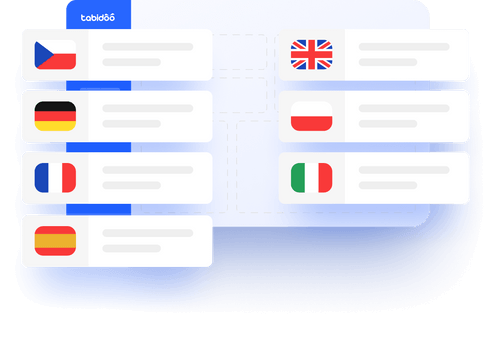
Multilingual
Quick setup, zero risk, full control.
No trial limits
No user fees
No credit card required
Every digital transformation has a starting point. And in the case of Tabidoo, that first step is registration. The good news? It only takes a few minutes. So, how does Tabidoo registration work?
Not every application has to be built from scratch. In fact, one of the fastest ways to get started in Tabidoo is by using ready-made templates. Whether you need a CRM system, task management, HR records, a helpdesk, asset management, or project management, templates allow you to start working almost immediately. And that is exactly where their biggest strength lies. So how to creating applications from Templates in Tabidoo?
Every application in Tabidoo starts with one important thing – a properly designed table. Tables form the foundation of the entire application because they determine how data will work, how records will connect with each other, and how easily the application can be expanded in the future.
Exporting tables from Excel to Tabidoo is often the very first step companies take when moving from disconnected spreadsheets to a more organized and scalable system. For many businesses, Excel is where data, records, and internal processes begin. Contacts, tasks, projects, HR records, or reporting – everything usually starts in spreadsheets. However, the problem appears once the company starts growing.